Solar lights should offer simple, low-cost illumination, yet a blinking red indicator can create immediate uncertainty. If you have searched “why is my solar light blinking red,” you are not alone. This warning may point to low battery power, weak sunlight, a charging fault, or a sensor problem. The exact meaning depends on the model, battery type, and control system.
In real outdoor use, placement often explains more than people expect. A light beneath a balcony may receive bright daylight but only a few direct charging hours. Dust on the panel can create a dull film, while cold weather may reduce battery performance. I have also seen lights blink after installation because a small protective tab remained inside the battery compartment. Small details matter.
This guide examines the most common causes and practical checks for blinking red solar lights in 2026. You will learn how to inspect the panel, test the rechargeable battery, review operating modes, and identify possible sensor issues. The advice follows manufacturer guidance and basic solar-light maintenance practices. Still, indicator colors are not universal. A red blink on one product may signal charging, while another may use it as a fault alert. Check the manual.
Do not replace parts too quickly. Observe first. A careful diagnosis can prevent wasted money and unnecessary electronic waste. Some problems are simple, although not every blinking light has a quick fix.
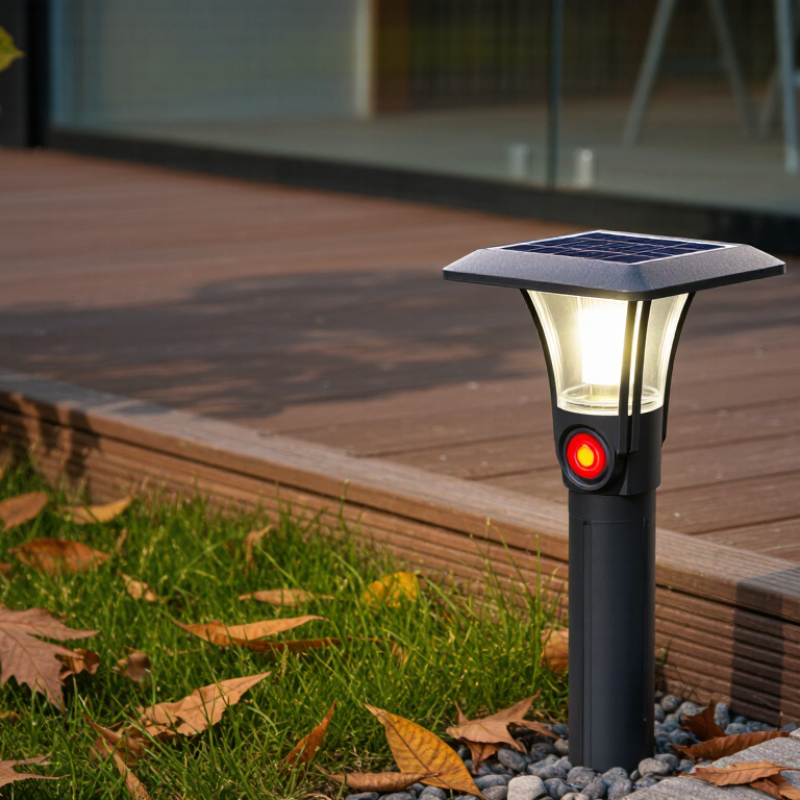
2026 Best Solar Lights: Why Is My Solar Light Blinking Red?
Solar lights often combine a small photovoltaic panel with a rechargeable cell and LED. Many garden units use a 1.2-volt battery, while the panel may produce roughly 1.2–2.4 volts in strong sunlight. These figures change with temperature, shading, and panel design. The panel collects light during the day. A simple control circuit directs energy into the battery. At night, the battery powers the LED. The LED needs controlled current, not just voltage. That small difference matters.
A blinking red light can indicate low battery power, active charging, or a circuit warning. There is no universal code. Check the instructions if available. Clean dust from the panel, then place it in direct sunlight for a full day. Inspect the battery contacts for white residue or looseness. I once assumed a red blink meant failure, but nearby tree shade caused the problem. Still, some lights blink because their batteries are aging. The pattern can be confusing.
Tips: Test the light after removing nearby objects that cast shadows. Measure the battery only with a suitable multimeter and avoid shorting its terminals. A healthy 1.2-volt rechargeable cell may read slightly above or below its label. Replace it only with the same chemistry and size. Do not guess. If the red blinking continues after bright charging conditions, the sensor or control board may need professional inspection. Cheap parts can fail early. That is frustrating, but it is real.
A red blinking light often signals unstable battery voltage, not necessarily a failed solar panel. In many compact garden lights, the rechargeable cell is rated at 1.2 V. If a meter shows below 1.2 V after sunset, the battery is usually deeply discharged, aged, or unable to hold charge. The International Energy Agency’s PVPS Trends 2024 report recorded about 456 GW of new solar capacity in 2023, but small outdoor lights operate differently. Their tiny panels depend heavily on several hours of direct sunlight, clean surfaces, and low nighttime demand.
Check the voltage under load, not only with the battery removed. A reading near 1.0 V suggests severe depletion. A reading that drops quickly below 1.2 V indicates high internal resistance or a damaged cell. Corroded contacts can create the same symptom.
Wipe the panel, inspect the spring terminals, and leave the light in strong sunlight for one full day. The U.S. Department of Energy’s consumer guidance also identifies shading and dirty photovoltaic surfaces as common causes of reduced solar output.
Still, this test is imperfect. A cloudy afternoon can mislead you.
If the red blinking continues, compare the battery’s chemistry and size with the original specification. Do not install a higher-voltage cell. Rechargeable batteries commonly lose capacity after repeated cycles, and a two-year-old cell may already perform poorly in cold weather.
My practical mistake was blaming the panel first. The battery was the real fault.
A blinking red solar light often signals low voltage, charging trouble, or a battery nearing replacement.
The exact meaning varies by controller design. Do not treat the red signal as a diagnosis. Check the manual, then test the battery after a full sunny day.
Battery life deserves closer attention.
Technical data from the U.S. Department of Energy’s Vehicle Technologies Office and Battery University place many lithium-ion cells near 500–1,000 charge cycles, depending on depth of discharge, temperature, and charging limits.
One cycle means the equivalent of 100% discharged capacity, not one night.
A light using 40% nightly may need several nights to equal one cycle.
Runtime testing should happen outdoors.
Clean the panel, expose it to direct sunlight, and record darkness-to-shutoff hours for seven nights. A healthy unit may deliver roughly 6–12 hours, but cloudy weather can reduce charging sharply.
At 25°C, a small 3.7-volt battery might show normal voltage yet collapse under load. That detail is easy to miss.
NREL’s photovoltaic performance research also shows that shading and seasonal irradiance strongly affect energy yield.
I would replace the battery only after comparing repeated runtime results, because my first assumption about a blinking red light may be wrong.
2026 Best Solar Lights: Why Is My Solar Light Blinking Red?
A red blink is not always a fault. In many solar lights, it signals low battery power, a blocked sensor, or a controller warning. Start with sunlight. Use 8–12 hours of direct daily sunlight as a practical benchmark. Shade from walls, branches, or winter angles can reduce charging sharply, even when the panel looks bright.
Check the panel in the afternoon. Dust, leaves, and water marks can weaken charging. Clean it with a soft, damp cloth, then inspect the light sensor. The sensor should face open sky and remain free from tape, dirt, and nearby bright lamps. A porch light may confuse the controller and trigger unusual blinking.
Next, switch the unit off for one full charging day, if its design allows this. Then test it after darkness. If the red light continues, inspect the battery compartment for loose contacts or corrosion. Do not force damaged parts. The controller may also be reading unstable voltage. This step is often skipped. That is understandable, but it can cause a needless battery replacement. Also, the 8–12-hour benchmark is not absolute; cloudy weather, seasonal sun, and panel angle still matter. Record the blink pattern for two nights, because one short observation can mislead.
Sensor and controller checks using 8–12 hours of daily sunlight as a practical benchmark
Less than 8 hours of direct sunlight may leave the battery undercharged and can trigger a red blinking indicator. Check that the solar panel is clean and unobstructed, confirm that the light sensor is not covered, and inspect the battery and controller connections. A red blinking pattern is model-dependent, so use the product manual to confirm the exact fault code.
An IP65 rating is useful, but it does not mean complete waterproofing. Under IEC 60529, “6” means dust-tight, while “5” protects against water jets. It does not cover immersion, standing water, or pressure washing.
After rain, inspect the small rubber gasket, battery tray, and charging socket. I have found moisture trapped behind clear covers, even when the outer lens looked dry. The red light may indicate low voltage, a charging fault, or a sensor error. However, red-light codes are not universal. Check the product’s technical manual before replacing parts.
Moisture can create a thin film across contacts. That film increases resistance and reduces charging efficiency. NREL’s photovoltaic reliability work commonly uses about 0.5% yearly degradation as a planning benchmark, but small garden lights often lose performance faster because their batteries and seals are less protected.
This comparison is imperfect. It still matters. A weak battery may blink red after cloudy weather, while corrosion can cause repeated faults at night.
Tips: Turn the light off before inspection. Dry it indoors for 24 hours. Clean contacts with a lint-free cloth, not water. Check whether the panel receives direct sunlight for six hours. If the red signal continues after drying and charging, replace the battery only with the specified type. Do not seal drainage holes with glue; trapped moisture can worsen the problem.
A photovoltaic panel collects daylight and sends energy to a rechargeable battery. At night, the battery powers the LED. The LED needs controlled current.
Many units use a rechargeable cell rated around 1.2 volts. The panel may produce roughly 1.2–2.4 volts in strong sunlight. Temperature and shading change these readings.
It may indicate low battery power, active charging, or a control-circuit warning. There is no universal signal code. Check the instructions when possible.
Yes. A nearby branch, wall, or dirty panel can reduce charging. Move the light into direct sunlight for one full day. Shade matters.
It often suggests deep discharge, aging, or poor charge retention. A reading near 1.0 volt shows severe depletion. Corroded contacts can create similar symptoms.
Use a suitable multimeter and measure voltage under load when possible. Avoid touching the terminals together. Do not guess.
Clean the panel and record operating hours for seven nights. A healthy unit may run about 6–12 hours after strong sunlight. Cloudy weather can shorten runtime sharply.
Replace it after repeated runtime tests show rapid shutdown or weak performance. Use the same chemistry, voltage, and physical size. An older cell may fail sooner in cold weather.
Inspect the panel, battery contacts, and sensor for dirt or looseness. If the problem remains, the battery or control board may need professional inspection. My first guess was wrong.
If you are wondering, “why is my solar light blinking red,” the problem may be related to its charging system, battery, sensor, or controller. Solar panels commonly operate around 1.2–2.4 volts, while a reading below 1.2 volts often suggests weak sunlight, dirt, shading, wiring issues, or a damaged panel. The LED may blink red when the stored power is too low or the control circuit detects an abnormal condition.
Begin by checking whether the panel receives approximately 8–12 hours of direct sunlight each day. Test the battery as well, since rechargeable batteries typically support about 500–1,000 charge cycles and gradually provide less nighttime runtime as they age. Inspect the light sensor and controller for dirt, loose connections, or incorrect operation. Finally, examine the housing and seals. An IP65-rated enclosure can resist dust and water jets, but moisture entering through cracks or worn seals may still trigger red-light faults. Cleaning, drying, reconnecting, or replacing worn components may restore normal performance.

Cappy Light